AI agents draft shorts. You finish them.
Agentic Shorts editor for Claude Code and Codex
Give Claude Code or Codex a topic in one sentence, and it drafts the script, voice, captions, and render with a template drawn from shorts that took off. You fix the draft in the editor and upload to YouTube only the videos you have checked yourself.
One-sentence request Example
Claude CodeCodex
Use the explainer template to make a short on "A tiny paper garden." Channel: Small Garden Lab.
- A local editor that runs on your computer (
127.0.0.1) - You approve saves, paid voices, and uploads
- MIT-licensed open source, coming soon
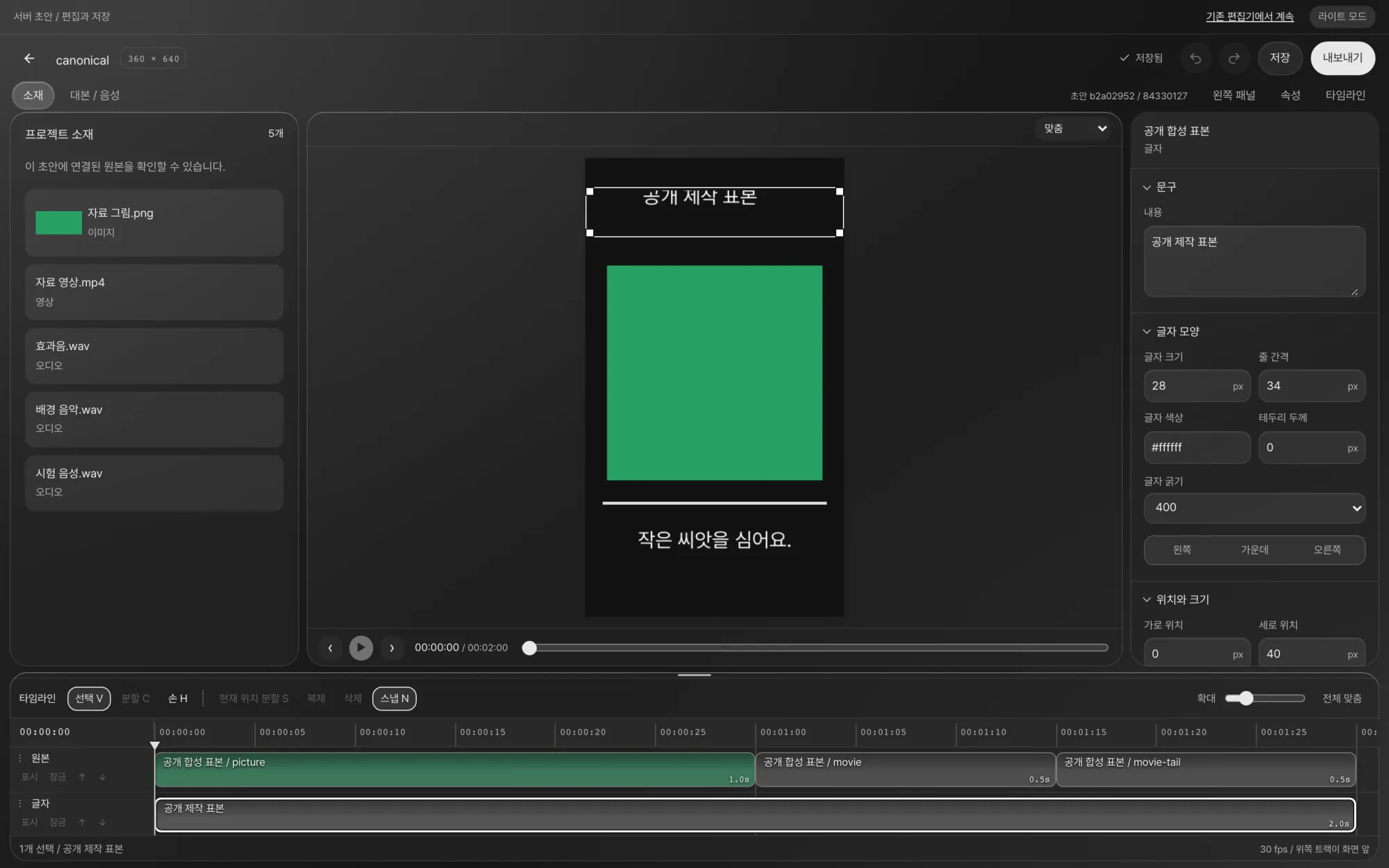
Editor. Assets on the left, preview in the center, properties on the right, layer timeline at the bottom. A draft becomes the master copy only when a person presses Save.
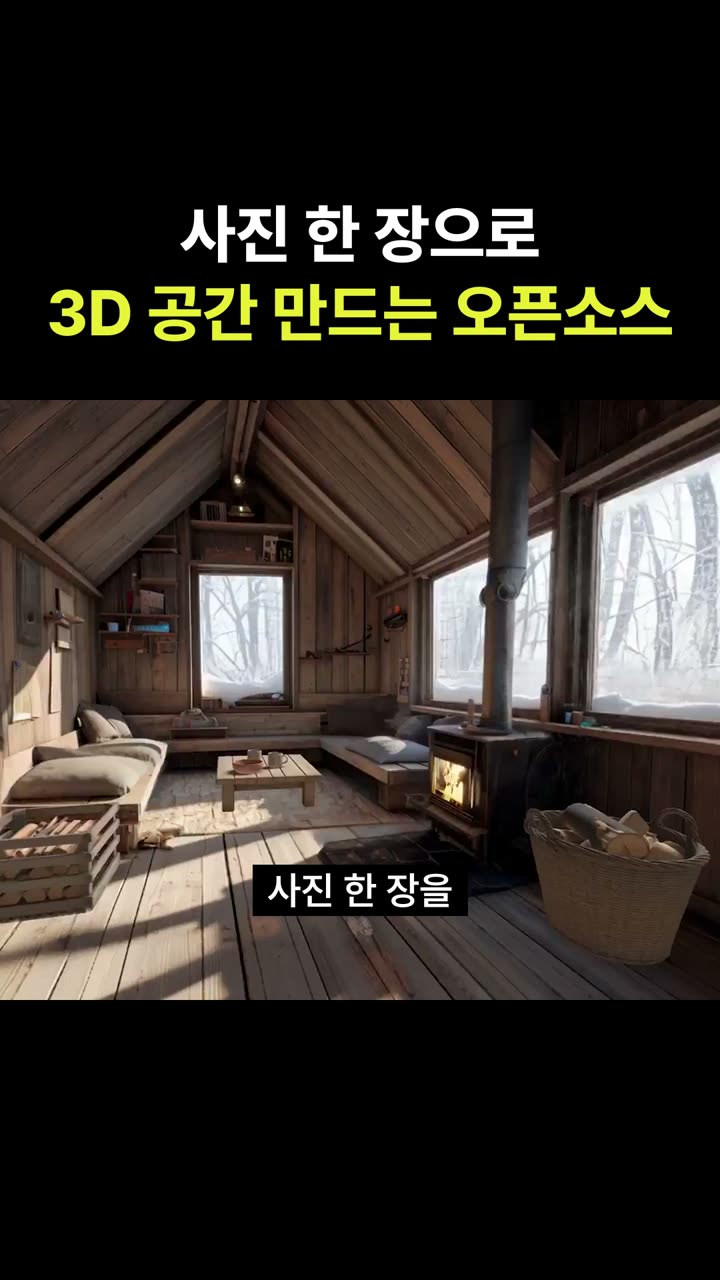
Finished short. One photo becomes a 3D space you can walk through. Made with the dev-demo template and uploaded to the NomaDamas channel.
From one sentence to upload
The agent makes the draft, and you fix and check it. The 8 steps fall into three groups.
-
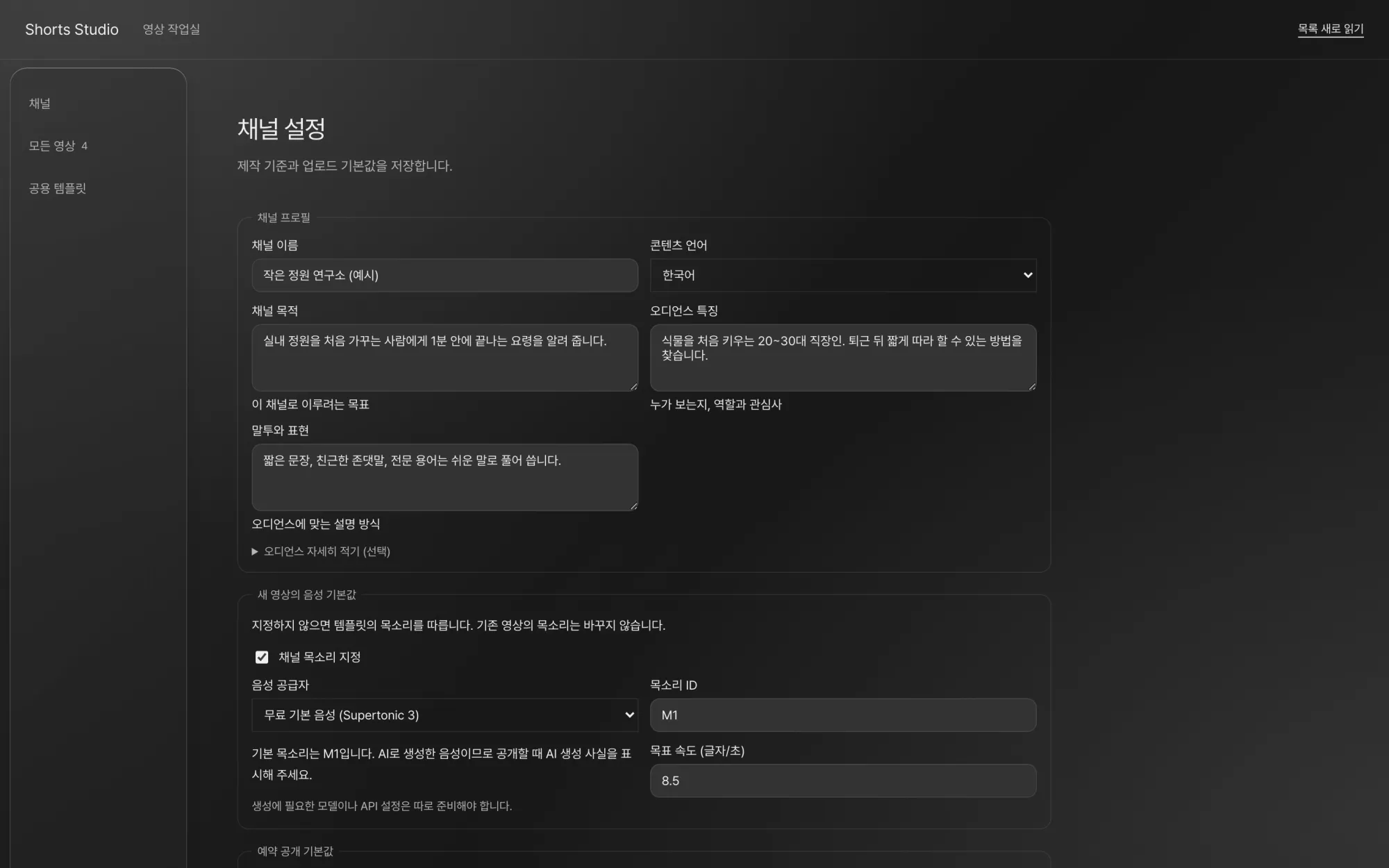
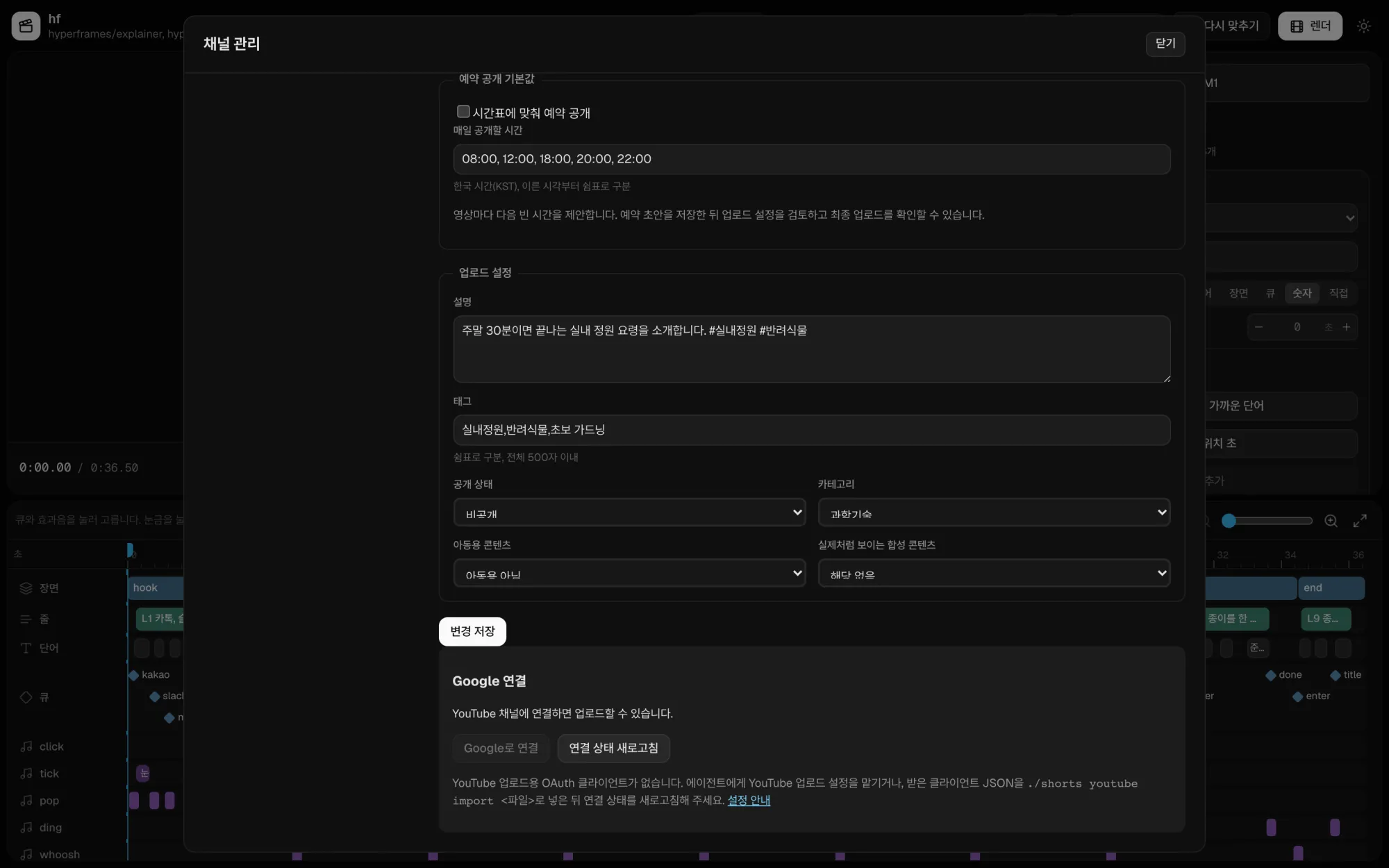
Channel settings. Saved guidelines become the defaults for this channel's new videos. They do not change the voice of existing videos. Group 1. Hand off
Set channel guidelines
Save each channel's purpose, audience, tone, voice, scheduled publish time, and upload defaults. The agent reads these guidelines when it writes a script.
-
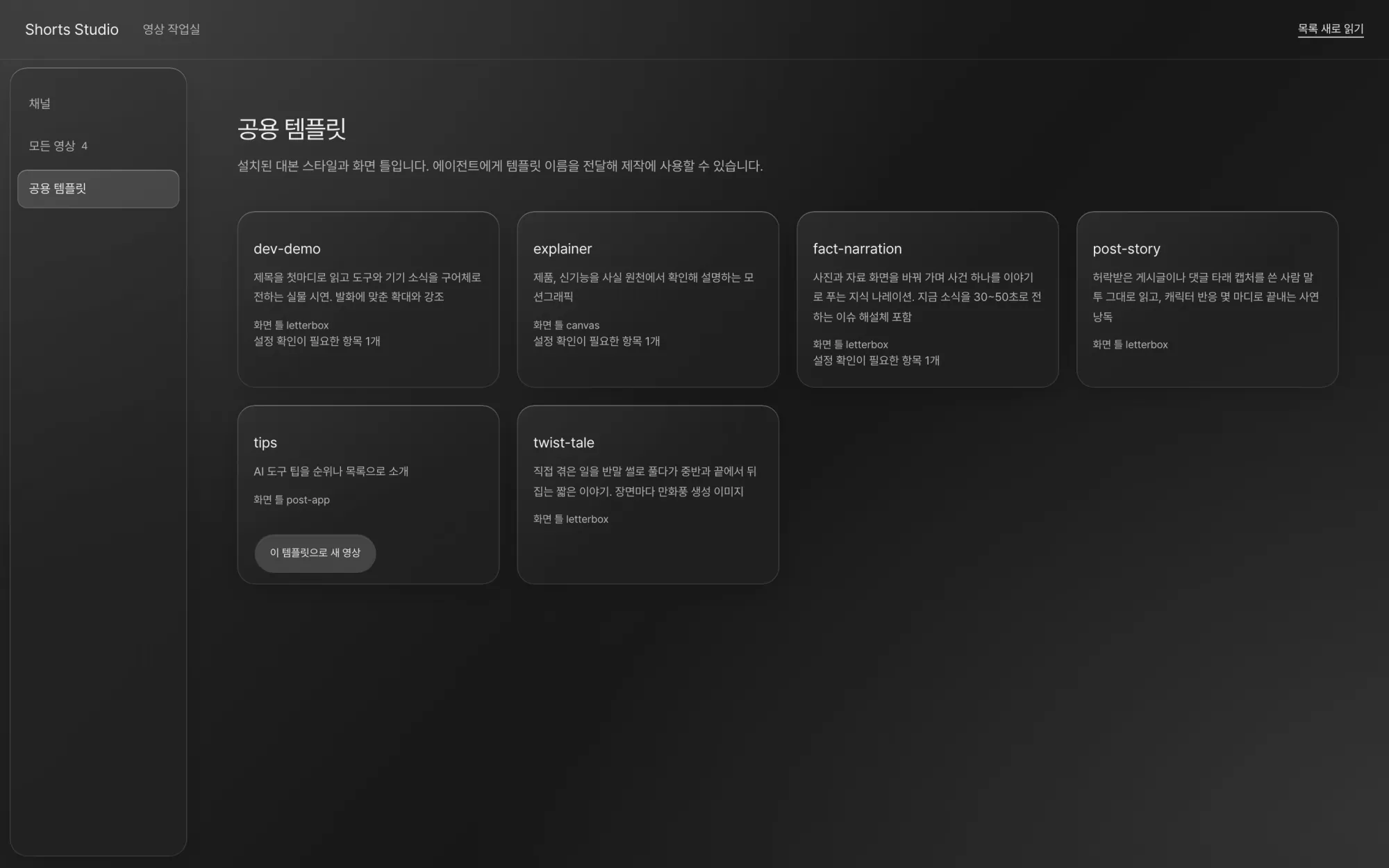
Shared templates. Press "이 템플릿으로 새 영상" (New video from this template), or tell the agent the template name. Group 1. Hand off
Choose a template
A template pairs a script style (tone, order, voice) with a frame (layout, render engine), made by analyzing shorts that took off. Styles include tip lists, product explainers, knowledge narration, stories from posts, and hands-on demos.
-
Example Use the explainer template to make a short on "A tiny paper garden." Channel: Small Garden Lab.
- Read channel guidelines
- Small Garden Lab (example)
- Template
- explainer, HyperFrames frame
- Script
- 9 lines
- Script approval request
- A person approves it in the editor
- Voice
- Free default voice M1, 36.5 seconds
- Caption timing
- Aligned word by word
- Render
- 1080x1920 MP4
- Automatic checks
- Blank frames, short cuts, personal info in text
- Open in the editor
- http://127.0.0.1:4318/
An example of the agent's progress. This is not a real screen; the conversation is shortened. Group 1. Hand off
Ask in one sentence
Tell Claude Code or Codex the topic and the template in one sentence.
-
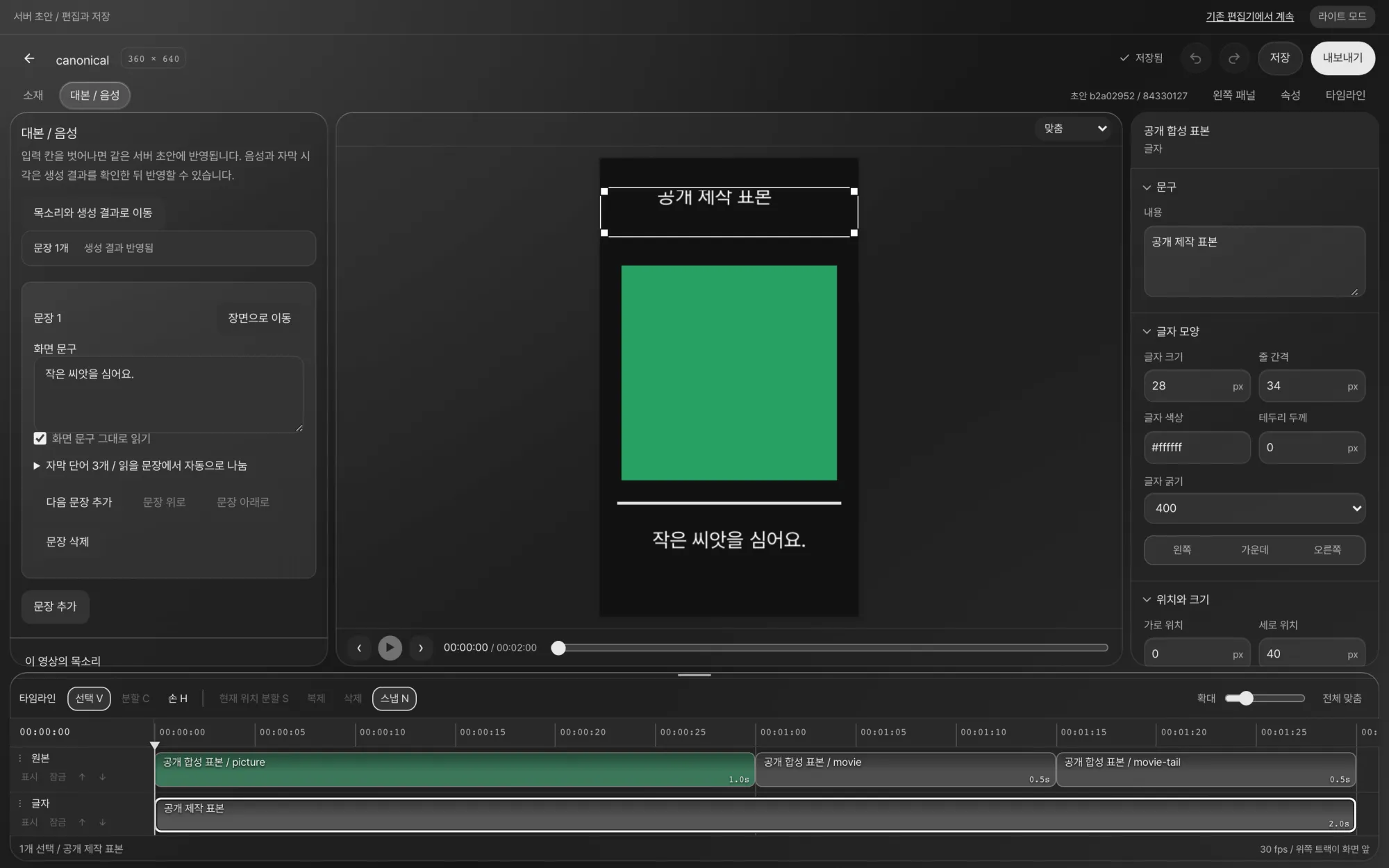
Script / Voice tab. Edit the on-screen text and the sentence to be read, then check the generation plan first with "실행하지 않고 계획 보기" (View the plan without running). Group 2. Draft (agent)
Script and voice
The agent writes the script with the template's few-shot source scripts as a reference, then makes voice for each sentence. You can choose a free local voice, a clone of your own voice, or a paid voice such as Typecast or ElevenLabs. Once the script is written, a person approves it before production, and voices that cost money are generated only after a separate approval.
-
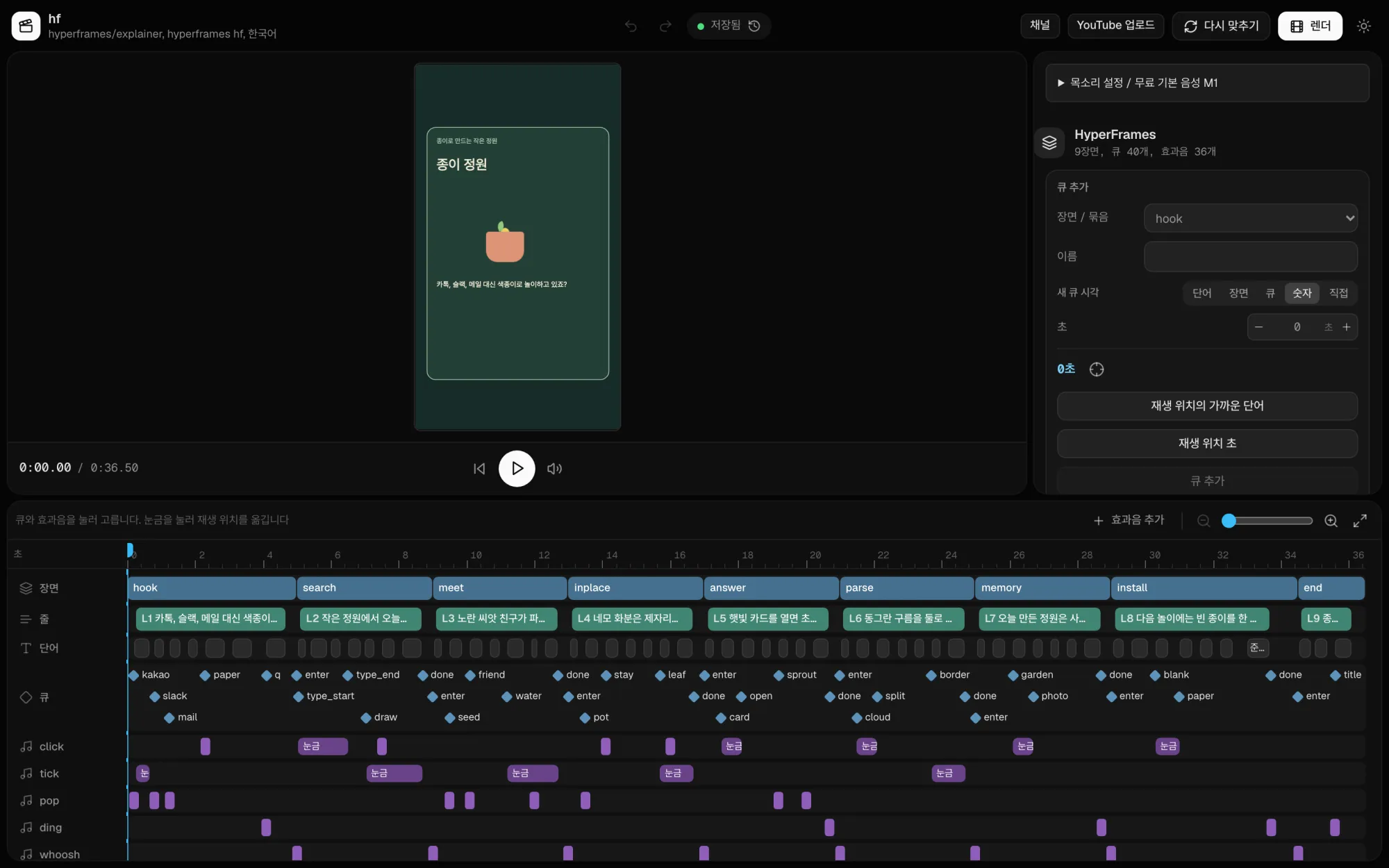
Motion video editor. Scene, line, word, cue, and sound effect tracks share one timeline. Drag a cue, and its sound effect moves with it. Group 2. Draft (agent)
Caption timing and sound effects
The generated voice is transcribed back to text so that every word gets a timestamp. Scenes, captions, highlights, and sound effects move in time with those timestamps.
-
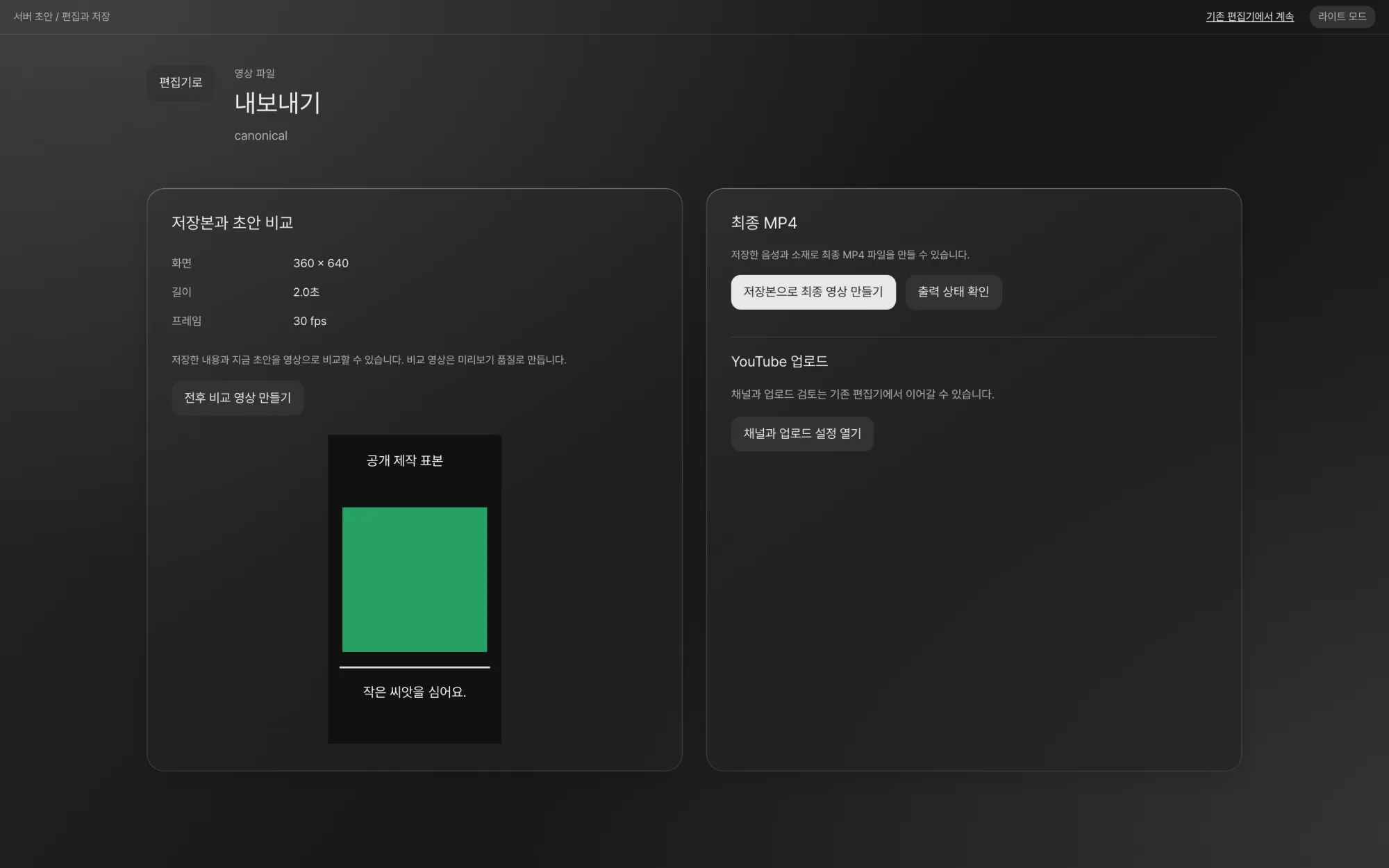
Export. Watch the saved version and the current draft in a before-and-after video, and make the final MP4 from the saved version. Group 2. Draft (agent)
Render and automatic checks
The short is rendered as a 9:16 MP4, and the result is inspected. The checks confirm size, codec, and length. They also find blank frames and cuts that flash by in under a second, and on-screen text such as email addresses or account IDs, and report when each one appears.
-
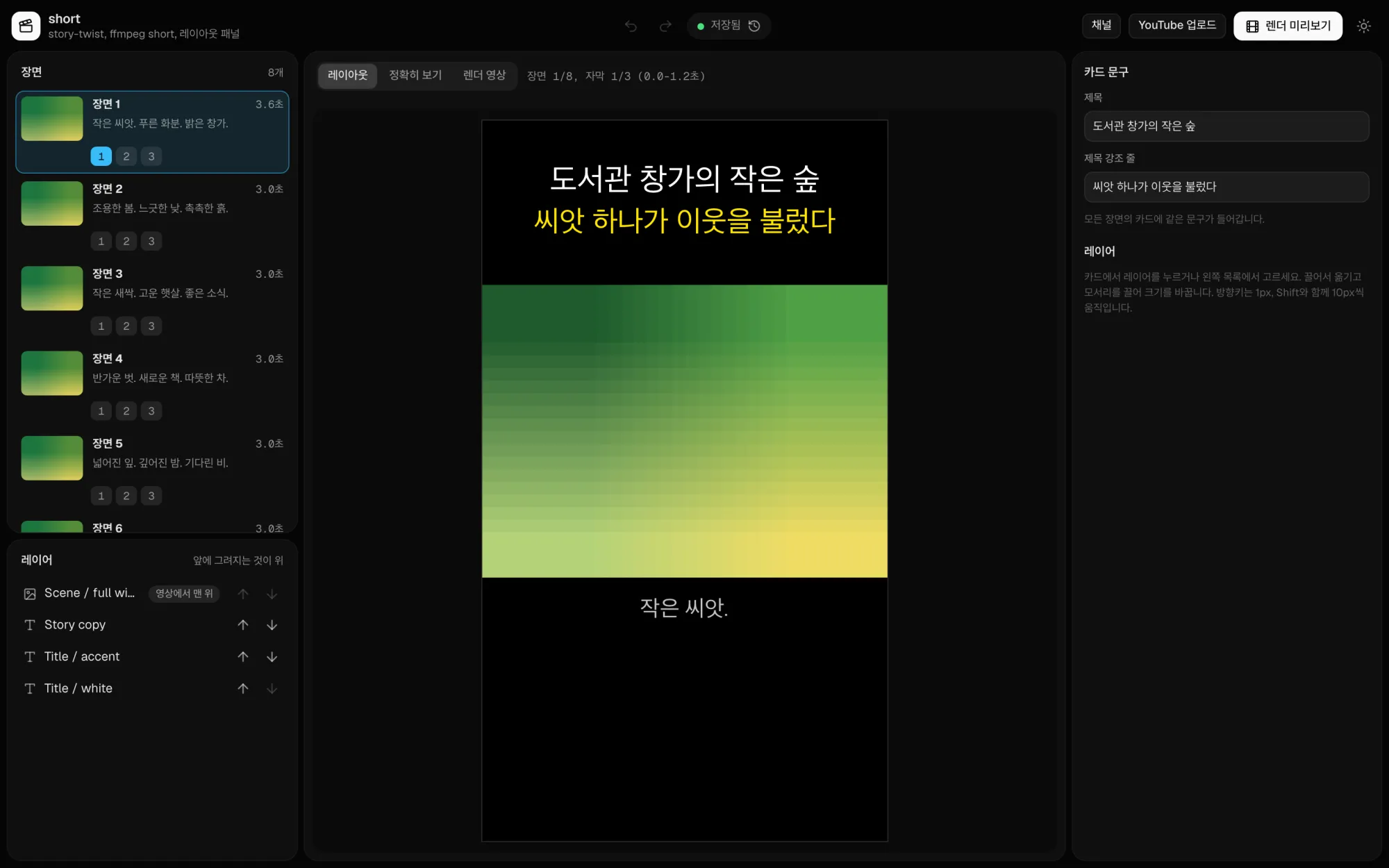
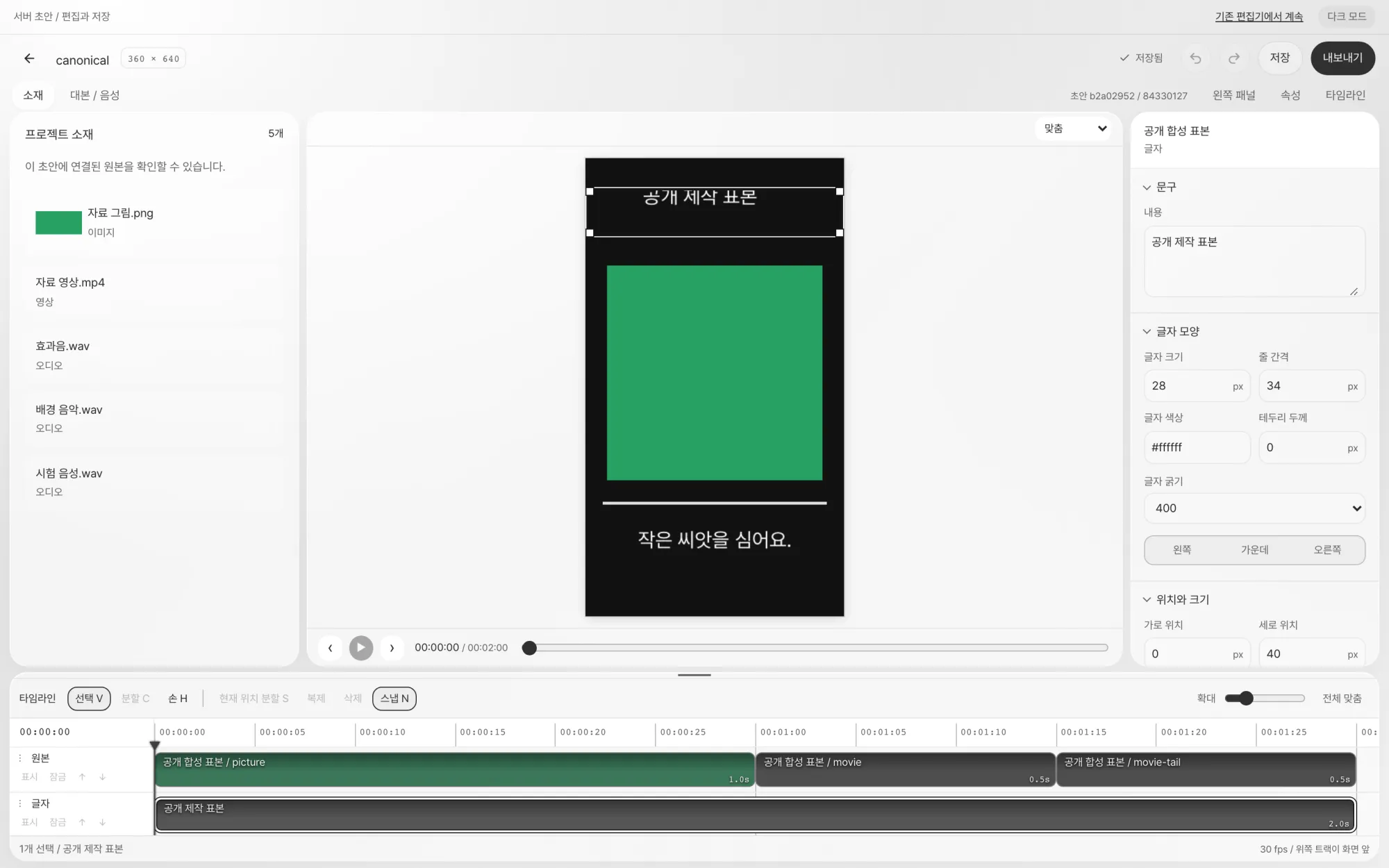
In card-style videos, you drag the title, highlight line, and picture layers into place for each scene. Group 3. Refine and upload (human)
Fix it in the editor
Change text, position, and size on the canvas, and move and trim clips on the layer timeline. Your edits go straight into the draft on the local editor server, and you can undo them. While the editor is open, Claude Code and Codex also read and edit the same draft over MCP.
-
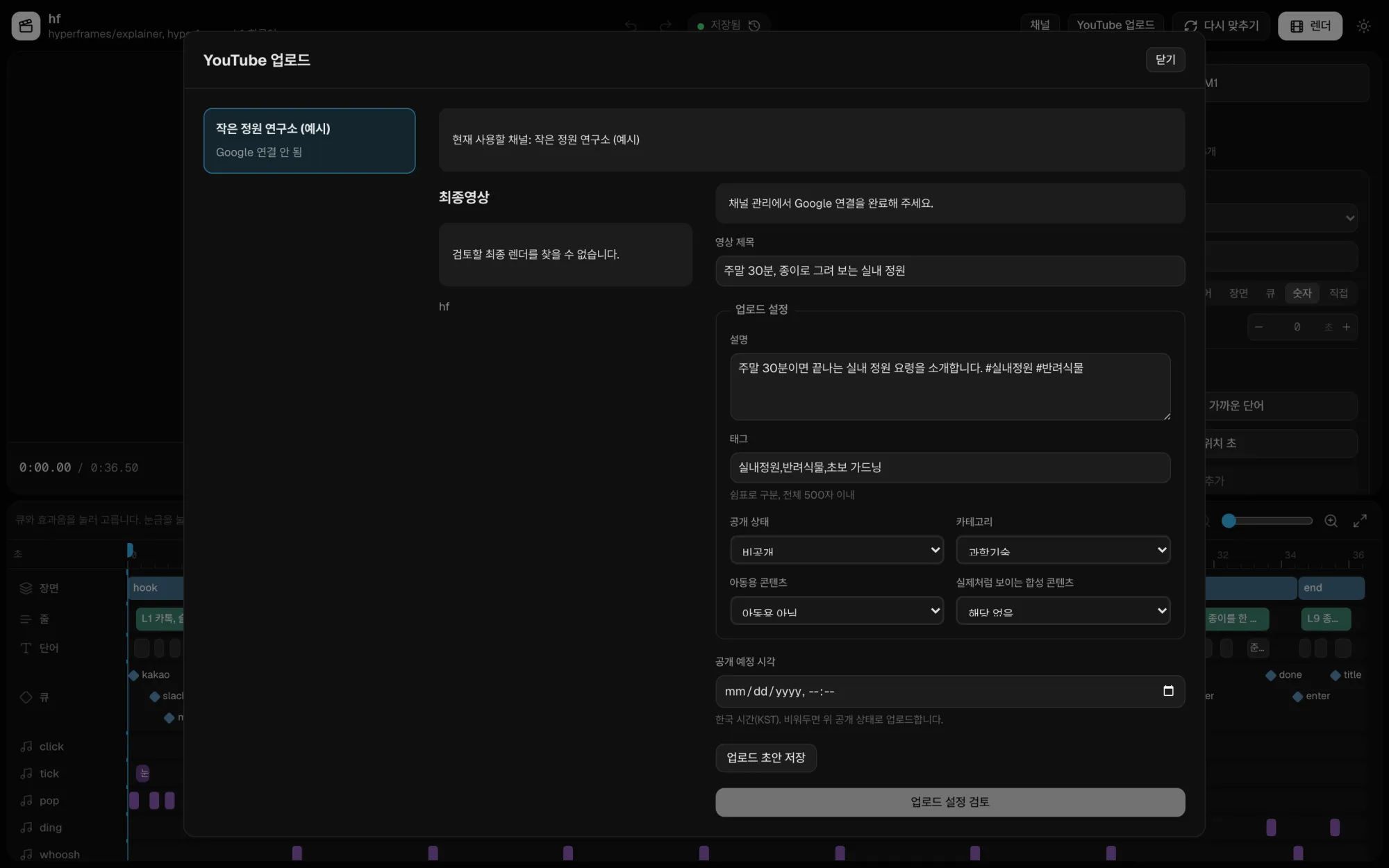
YouTube upload. Check the channel, the final video, and the upload settings on one screen. If you leave the scheduled time empty, the video goes up with the visibility you chose. Group 3. Refine and upload (human)
Check and upload to YouTube
Connect the channel with your Google account, then review the title, description, tags, visibility (public, unlisted, private), made for kids, synthetic content, and scheduled time. A person presses the final upload button. The agent only prepares things up to the upload settings review.
AI drafts, people decide
-
Script approval
Production work such as voice and render starts after a person approves the current script.
-
Cost approval
Calls that cost money, such as paid voices, get a separate approval from a person.
-
Save
The agent only edits and compares drafts. A person presses Save to keep the master copy.
-
Upload
A person presses the final button of a YouTube upload.
Shorts made with fishcut
Shorts uploaded to the NomaDamas channel. All of them were made with the dev-demo template.
-
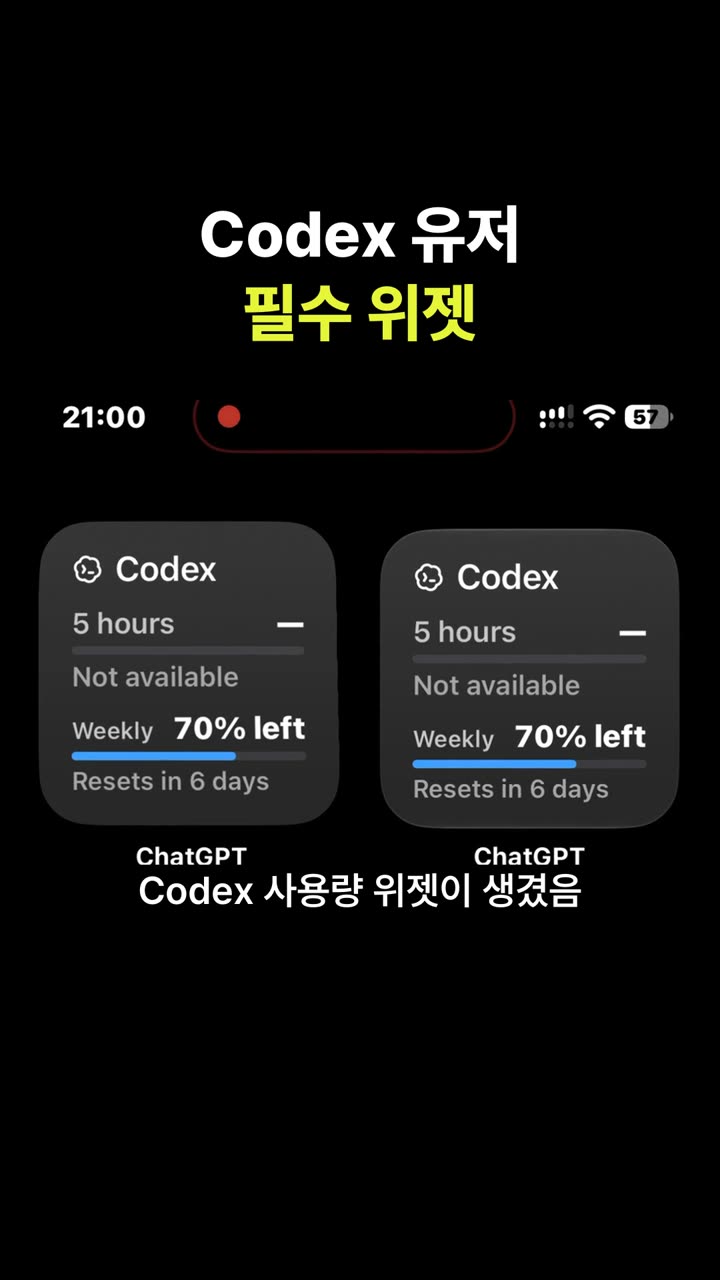 The iPhone widget every Codex user should install
-
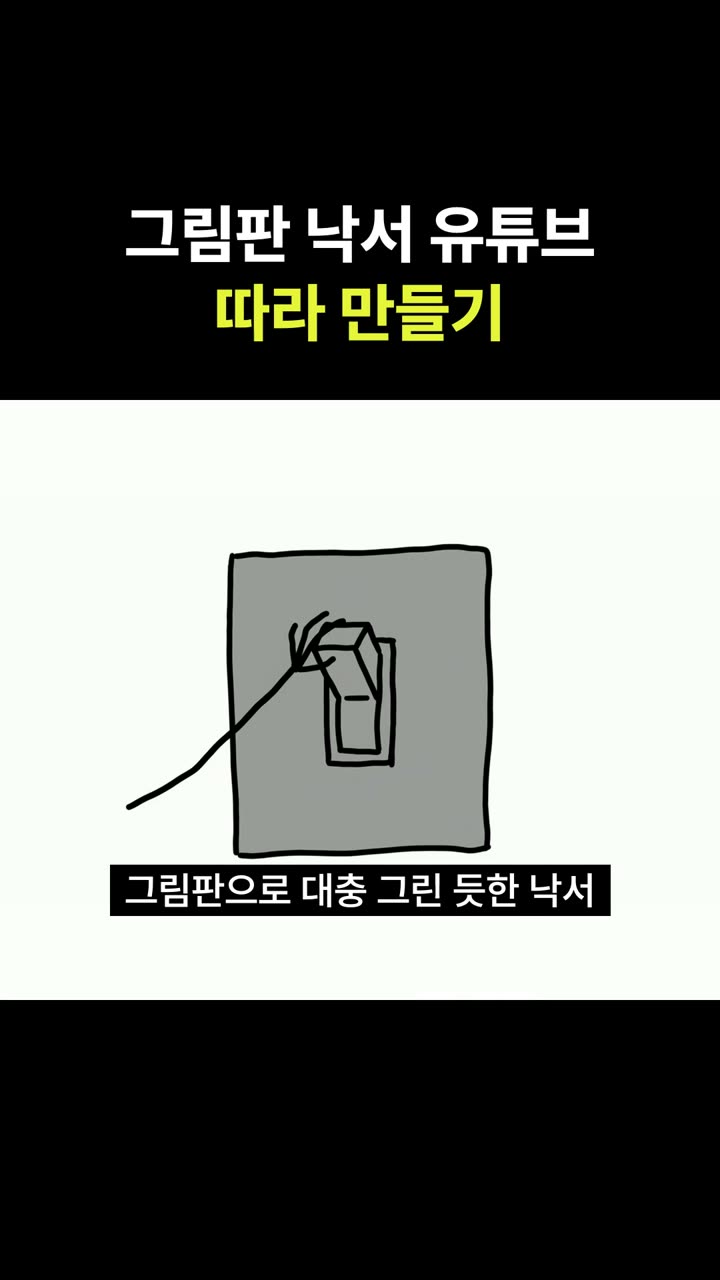 8 million views with MS Paint doodles, and how to copy it with Claude Code
-
One photo becomes a 3D space you can walk through
YouTube NomaDamas | AI Hacker House channel (opens in a new window)
Editor screens behind the shorts
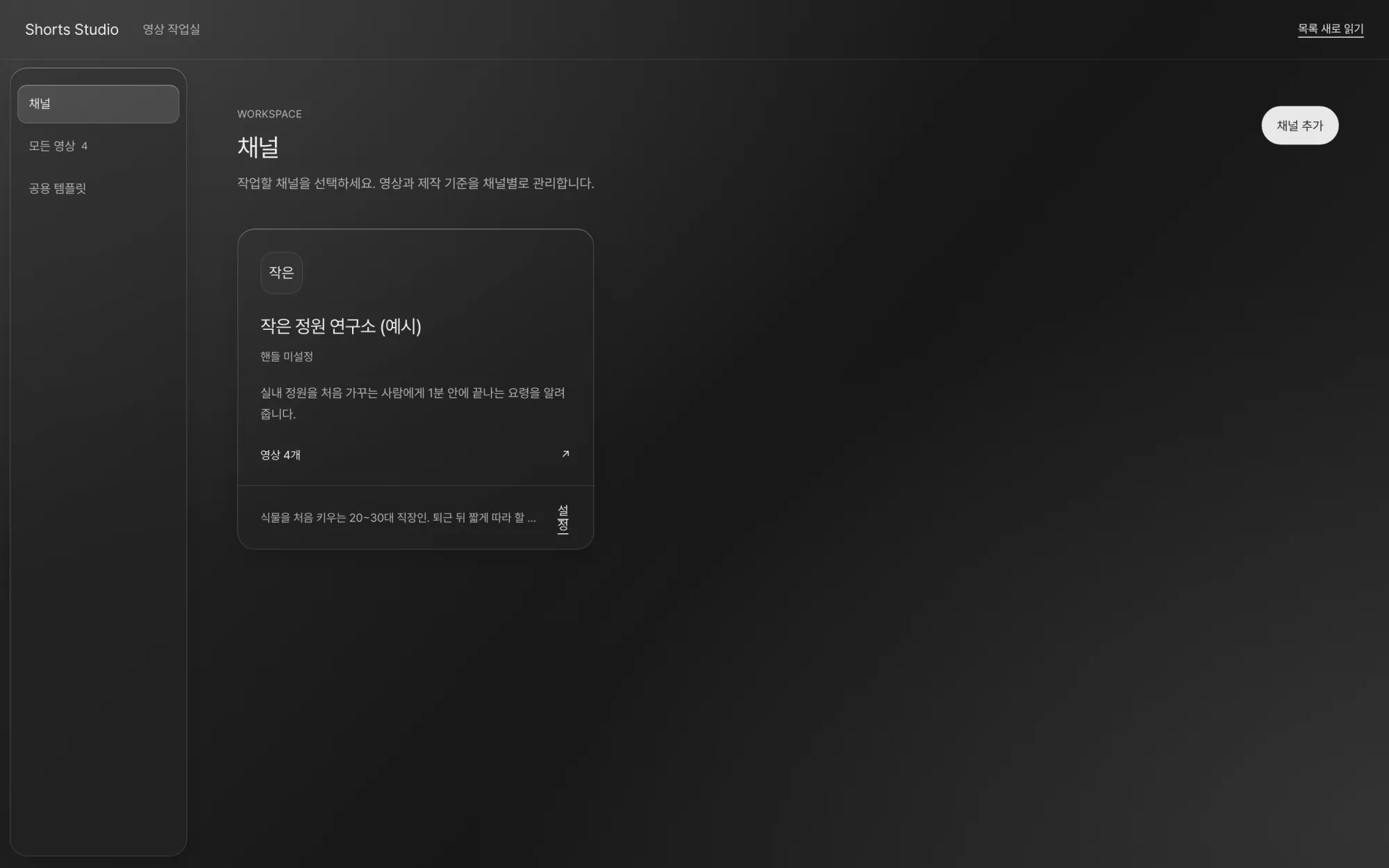
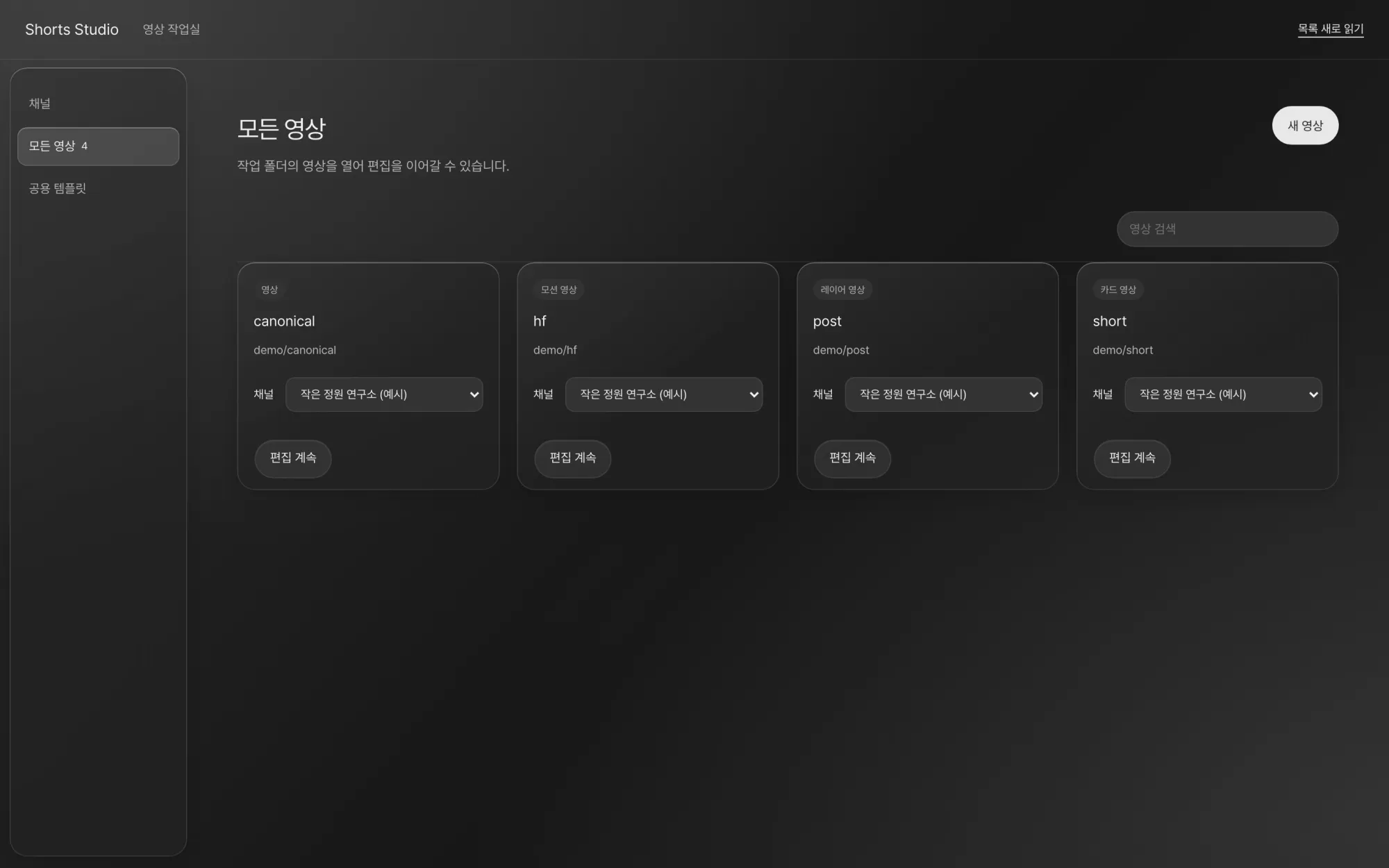
All screens were captured from a demo install with the public synthetic examples open. The example channel is "작은 정원 연구소 (예시)", which means Small Garden Lab (example). "Shorts Studio" in the app header is from before the app was renamed.
YouTube Data and privacy
YouTube connection and data
fishcut uses YouTube API Services. YouTube upload is optional, and you can use all production and editing features without connecting.
fishcut is a tool that can upload videos to YouTube. It is not affiliated with or endorsed by YouTube or Google.
| Permission | Used for |
|---|---|
youtube.upload | Used only to upload the final video a person has checked to the connected channel, with the title, description, and visibility that person set. |
youtube.readonly | Used to show the name and ID of the channel you will upload to, and to check the visibility status and scheduled time again after an upload. |
-
Stored only on this computer
Google tokens, the connected channel's name and ID, and upload history are stored only in the state folder on this computer. They are not sent to a NomaDamas server. NomaDamas does not receive this data.
-
Sent only to Google
Upload and channel check requests go directly from this computer to Google and YouTube. There is no server in between.
-
No upload until a person presses
A person reviews visibility, made for kids, synthetic content, and scheduled time, then presses the final button.
-
Disconnect anytime
When you disconnect in the editor, fishcut asks Google to revoke the token and deletes it from this computer. You can also revoke access in Google Account permissions.
When fishcut uses information it receives from Google APIs, or transfers that information to another app, it follows the Google API Services User Data Policy, including the Limited Use requirements.
fishcut's use and transfer to any other app of information received from Google APIs will adhere to the Google API Services User Data Policy, including the Limited Use requirements.
Coming soon
fishcut is getting ready for its public release. When the repository goes public, install steps will appear here. We will announce the release on GitHub and our YouTube channel.
To use YouTube upload
- Create your own project in Google Cloud and turn on YouTube Data API v3.
- Create an OAuth client for a desktop app and download its JSON file.
- Ask your agent to add that file, or run
fishcut youtube import <file>. - In the editor's channel management, press "Google로 연결" (Connect with Google).
Frequently asked questions
Where do my videos and tokens go?
They stay on this computer. When you upload, the video file and settings go directly from this computer to YouTube. NomaDamas does not receive any data.
Will the agent upload on its own?
No. The agent prepares everything up to the upload settings review, and a person presses the final upload button.
Is it free?
fishcut will be released as MIT-licensed open source. You can make a short from start to finish with free local voices, and paid voice APIs are used only when you add your own key and approve.
Which agents does it work with?
Claude Code and Codex. While the editor is open, they read and edit the same draft over MCP.
What computers does it run on?
It is developed and tested on macOS with Apple Silicon. You can also run it with Docker.